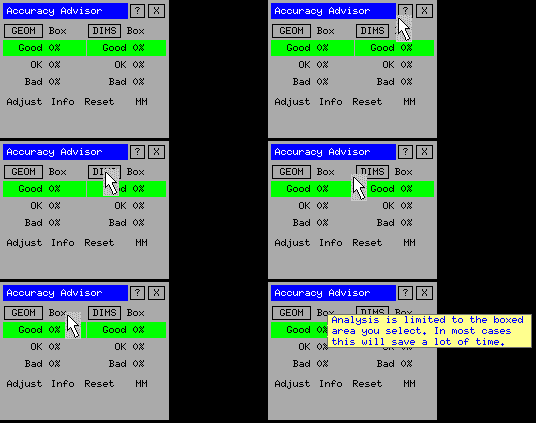
Functionality of Accuracy Advisor is dependent upon the correct UNITS setting. If a drawing contains dimensions created with inch dimension units then the Accuracy Advisor must be set to INCHES.
The units may be changed by simply clicking your way through all the alternatives behind the field "MM".
If you have a drawing containing fractions of inches then it may be a good idea to convert to decimal inches. But be aware that many fractional dimensions are not very accurate and that dimensions showing apparently equal lengths can in fact be quite different. Accuracy Advisor will be able to assist you in the conversion process.
The result of running an accuracy analysis is that geometry and dimensions are displayed in other colours than their own. Pick "Reset" to show everything in their own colour.
|
By first picking the "?" in the table and then selecting a command a small help window will appear describing in brief the function of the command. |
Look out for updates on this website!
| Prev |