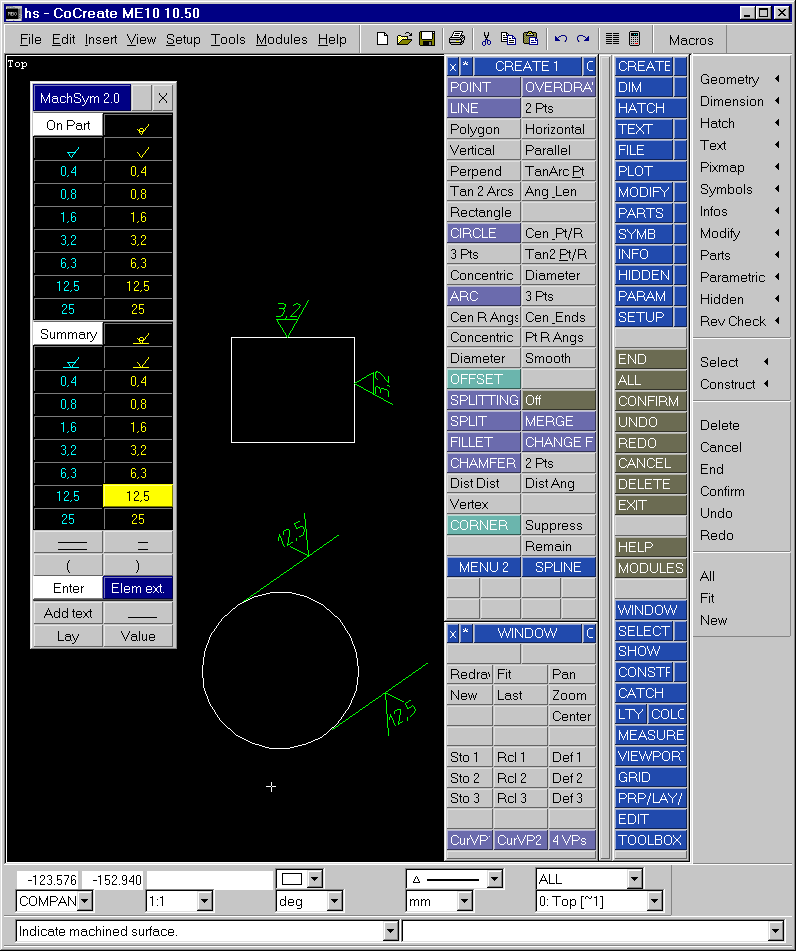
Those who have found that they prefer the classical user interface of ME10 can get the best of both worlds by running the macro startup_menus
The menus will be displayed like this:
You then have access to all your old favorites - INITIATE Part is again INITIATE Part and GATHER EL is once more GATHER EL (referring to the new "New" and "Include" commands in the Parts menu).
One of the problems in the WUI is that classical menus and tables cannot be manually placed on top of one-another. A menu/table placement pick can now be interrupted by the command the cursor lands on. In the classical environment, it was possible to place a menu/table without activating whatever was under the cursor when the menu was placed.
Another weird property of menus in the 10.50 WUI is the fact that they don't follow the main ME10 window if it is moved across the screen. It can be quite cool though when you have your old menus alive and happy living outside their traditional little universe.
Titles of menus may also be difficult to read. Those titles where upper case letters have been used may overflow the menu slot. If you are working with customize menus it could be an idea to change the titles to lower case (not the first letter though).